Listen read aloud, 6 min — or as a conversation, 9 min
Why Not a Markdown List
Markdown files are a poor task tracker: no statuses, no dependencies, no queries, no way for an agent to ask “what is ready to work on?” So tasks live in beads (bd), an open-source, git-backed, dependency-aware issue tracker designed for AI agents. The task data is JSONL inside the vault, so it versions and travels with everything else.
Claude Code picks it up naturally: agents run bd from the shell, and every mutation is plain text in git history. Your assistant creates tasks as it triages; the daily brief queries the graph; the weekly review walks it.
bd init                                  # creates .beads/ in the vault root
bd create --title="…" --priority=2 --label=… --label=…
bd ready                                 # tasks with no open blockers
bd dep add <task> <blocker>              # real dependencies are first-class
bd blocked                               # what's stuck, and on what
bd close <id> --reason="…"
If you are starting without beads, a single tasks.md with the same labelling conventions works for a week or two. Graduate when the brief starts wanting to query.
One Database for Everything
A portfolio’s value hides in its cross-venture dependencies — the lawyer’s answer that unblocks two companies, the trip that collides with three deadlines. So there is exactly one task database, with a label per venture, rather than one database per venture. Cross-venture dependencies become ordinary bd dep edges instead of things you remember to remember.
Two Required Labels on Every Task
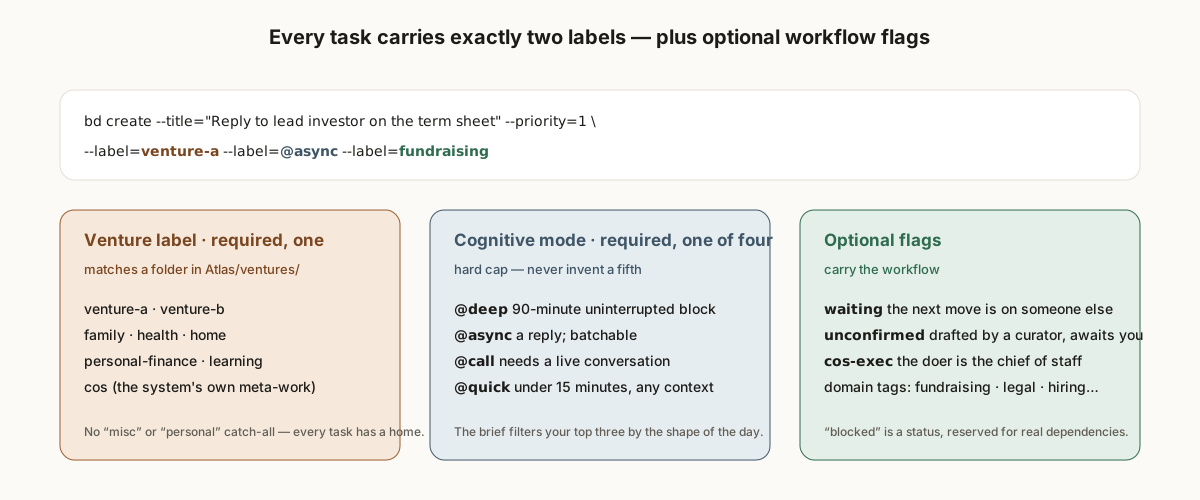
A venture label, matching a folder in Atlas/ventures/. The system’s own meta-work gets its own label (cos). There is deliberately no personal or misc catch-all: a label with no venture folder behind it is a place where tasks go to be un-reviewed. Life-admin captures route to real ventures by a fixed table — money to personal-finance, account and device admin to personal-ops, reading to learning, couple things to the relationship venture.
A cognitive-mode label, from a hard-capped set of four:
| Label | Means |
|---|---|
@deep | needs a 90-minute uninterrupted block |
@async | an email, chat, or message reply; batchable |
@call | needs a live conversation |
@quick | under 15 minutes, any context |
This is Getting Things Done, adapted. Location contexts (@office, @phone) mean nothing to someone who works from anywhere; kind of attention means everything. The daily brief filters your top three by the shape of the day: long free blocks surface @deep work, a travel day surfaces @async and @quick. The four-label cap is written into a decision record and enforced as an anti-pattern — context-list bloat is the most documented way GTD systems die, and within a month of “just one more” you have twelve contexts, none used consistently.
Optional Flags That Carry the Workflow
waiting— the next move is on someone else. The notes name who and carry a follow-up date; the weekly review surfaces anything aging past it. Apply liberally: any task where the ball is in someone else’s court belongs here.unconfirmed— the task was pre-drafted by a curator from something it saw (an email, a calendar conflict) and awaits your disposition: confirm, dismiss, defer, re-label, or close-as-done. Default priority is low; curators may raise it only for genuinely time-sensitive items — a deadline within a week, past-due billing, a security alert, a conflict on today’s calendar. See Incremental handling.cos-exec— the doer is the chief of staff, not you: a report, a research answer, a document. The label alone routes the task into an execution lane. See The execution lane.- Domain tags (
fundraising,legal,hiring) — secondary, only when useful.
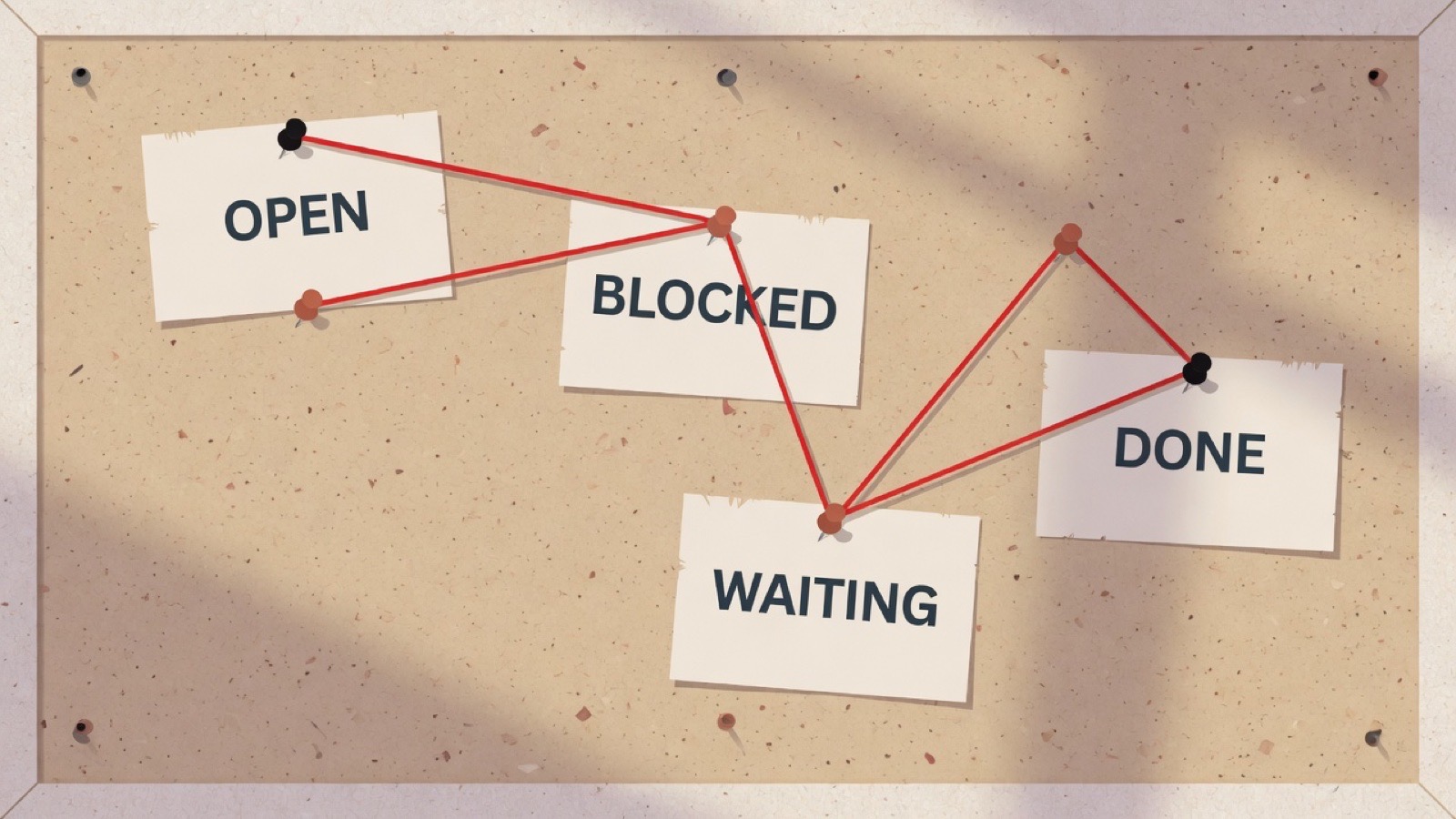
blocked is a status, not a label, and it is reserved for tasks that literally depend on another task via bd dep. “Blocked on a feeling” is waiting with a name in the notes.
Priorities
Priority is a number, 0 to 4. The convention that has held: P0 is a fire, P1 is this week and non-negotiable, P2 is the working set, P3 is the backlog and the default for curator-drafted items, P4 is someday-but-tracked. The brief and the review tool key off it, so an inflated P1 list is a signal the triage layer is slipping.
Examples
bd create --title="Reply to lead investor on the term sheet" \
          --label=venture-a --label=@async --label=fundraising --priority=1
bd create --title="2hr deep work: refactor the billing module" \
          --label=venture-a --label=@deep --priority=2
bd create --title="Waiting on J: reorg plan (followup 2026-05-03)" \
          --label=venture-a --label=waiting --label=@async
bd create --title="Report on options for X — deliver: report+file" \
          --label=cos --label=cos-exec --label=@deep
One rule remains, and it is the highest-leverage convention in the whole system: every title names a concrete action. It gets its own guide — Concrete actions only.
See it
The demo vault has a task graph after two weeks of real use. It is fictional, and it was built by Claude Code sessions running the bootstrap prompt — not written by hand.
Hand this to your chief of staff. Plain Markdown: /guides/the-task-graph.md. Tell it: "Read this guide and tell me what in our system it would change."
Also for your Claude: whole-site index · bootstrap prompt · guide feed